Lingopie Short Stories brings language learning to life with mini stories you can read and listen to. Follow along at your own speed, or use autoplay to hear the story read aloud — putting you in full control of your learning.
Currently our Short stories are only available in beginner level.
How to Access and Use Short Stories
Log in to your Lingopie account on your desktop, laptop, or IOS or Android device.
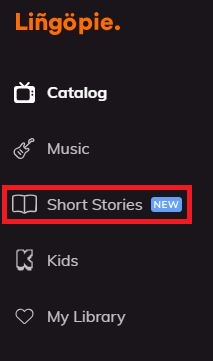
Navigate to the ‘Short stories’ section from the main menu.
- Choose a story
- Select a story that interests you and feels right for your language learning level.
- Read or listen
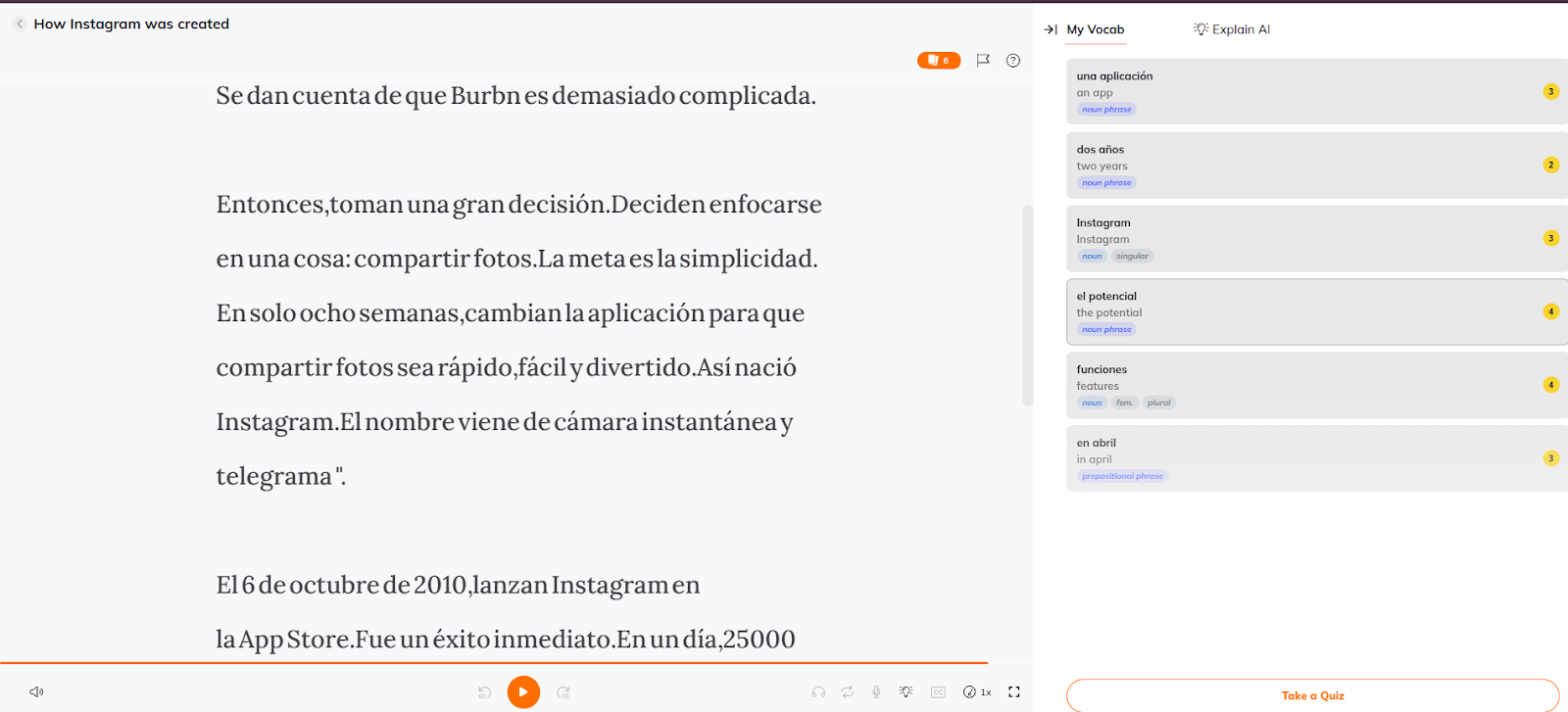
- Read at your own pace by scrolling through the text.
- Activate autoplay to hear the text read aloud while following along.
- Track and save your progress
- Hover for quick translation to see the meaning instantly.
- Click for full translation and grammar details to get more in-depth explanations.
- Listen to pronunciation to improve your speaking and listening skills.
- AI explanations for context and usage guidance.
- Add words to your vocabulary for future practice.
- Take comprehension tests and quizzes to review and measure your progress.
Available Languages
Lingopie Short Stories currently supports:
- Spanish
- French
- Italian
- German
- Portuguese
- Russian
- Polish
- Greek
- Dutch
- Korean
- Japanese
- Turkish
- Swedish
- Norwegian
- Hebrew
We are currently working on adding this feature to additional languages and will keep you updated as we progress.
Device Compatibility
- Available on desktop, iOS and Android.
- We’re working on expanding support to additional devices and will share updates as soon as they’re available.
Need Help?
If you spot an issue within a story:
- Tap the flag icon at the top of the reader.
- Select the type of issue (text, translation, audio, etc.).
- Add any additional details if you wish.
- Send your report — our team will review it promptly. Your feedback helps improve the learning experience for everyone.
If you have more questions or need assistance:
- Email: support@lingopie.com
- Submit a ticket: Lingopie Support
We’re here to help you make the most of your language learning experience!
Was this article helpful?
That’s Great!
Thank you for your feedback
Sorry! We couldn't be helpful
Thank you for your feedback
Feedback sent
We appreciate your effort and will try to fix the article