Lingopie’s Explain Sentence feature helps you understand grammar, structure, and meaning as you watch. With one click, you can break down any sentence from the script and learn how it works — without interrupting your flow.
1. How to Use the Explain Sentence Tool
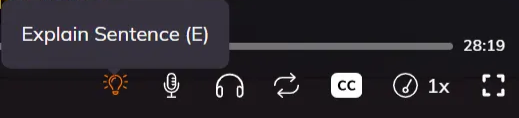
- While watching a show, click the light bulb icon ? in the video player toolbar.
- A small tooltip (Explain Sentence) will appear when you hover over the icon.
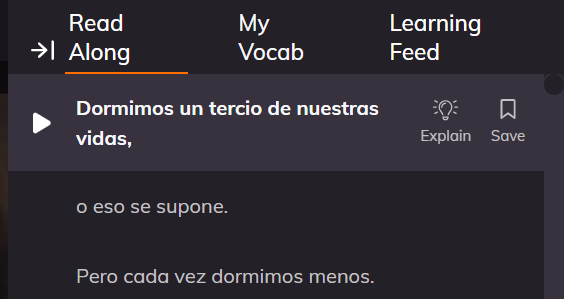
- This opens the learning panel, where you’ll see tabs such as Read Along, My Vocab, and Learning Feed.
2. Get Instant Sentence Explanations
- Click the light bulb icon whenever you want a deeper understanding of a specific sentence.
- The Explain Sentence tool will generate:
- A clear breakdown of the sentence
- Grammar structure
- Context from the scene
3. Save Sentences for Later
You can click Save next to any explanation.
Access your saved sentences anytime to:
- Review past explanations
- Revisit tricky grammar
- Track your progress over time
5. Reinforce Your Learning
Combine the Explain Sentence feature with:
- My Vocab to add individual words you want to study
- Learning Feed to review past explanations
- Read Along to follow the script line by line
Make the most of Lingopie’s Explain Sentence tool by practicing regularly — it’s a simple way to strengthen your grammar skills while enjoying your favorite shows!
Was this article helpful?
That’s Great!
Thank you for your feedback
Sorry! We couldn't be helpful
Thank you for your feedback
Feedback sent
We appreciate your effort and will try to fix the article